Privacy Tools for Android, iOS, and Windows: What to Use
Independently fact-checked against primary sources (last audited August 5, 2026). · 6 primary sources cited on this page. How we verify our legal content

The best privacy software combines a no-log search engine like DuckDuckGo or Startpage, a VPN or the Tor browser for more anonymous browsing, encrypted cloud storage such as MEGA or Sync.com, and a password manager like RoboForm or Keeper. Together these tools help protect your identity, location, and sensitive data on Android, iOS, and Windows.
Privacy software and privacy tools reduce how much you expose online and make your location and identity harder to trace. No single tool can promise complete anonymity, which is why the strongest setups layer several of them.
Quick take:
- Key disclosure laws in some countries can require privacy service providers to share encryption keys with law enforcement.
- Log out when you finish browsing, and use a VPN or an alternative search engine.
- Store sensitive data in secure private storage.
- Protect your passwords and devices.
The leaks at Yahoo, Adult Friend Finder, Facebook, and LinkedIn have taught us one lesson: the importance of privacy. Think about it, would you want your search history, risky comments, online activity, or the websites you visit to leak in the age of cancel culture? Worse still, some people may use what they have on you for blackmail. The UK's National Crime Agency warns that crimes including sextortion can happen at any time and from anywhere on the planet. If someone is already threatening to share your photos unless you pay, our guide to sextortion covers what to do first and where to report it.
These crimes sometimes escalate to suicide, and authorities have little to do because the perpetrator may be from a different country. At the center of scams, identity theft, and other illegal online activities are your finances and identity. Privacy tools or privacy software are protections installed on your computer or other devices to prevent snoops and thieves from breaking in. Many people use VPNs (Virtual Private Networks) as the first line of defense. But a VPN will not protect you from yourself.
Your online activities and the information you share impact your privacy. So, it pays to know when to turn on protections and what not to share. You should also know if your privacy service provider shares information with law enforcement and what you can do to keep your activity truly private.
In this article, we discuss privacy tools, and privacy software, in detail, starting with the question, what search engine should I use?
Private search engines versus Google search
Google is the most popular search engine on the planet. However, the search engine has one major privacy flaw. It records your activity. The amount of data Google collects from you is jaw-dropping. They use your devices to record location, collect payment information, search history, YouTube watch history, logged-in devices, browsing data, device, and user ID data, contacts, your content including photos, audio, and video, purchase history, product interaction, and plenty more. To get a small taste of what data they collect you can see a snippet of it at Google's My Activity dashboard.
What separates a snoop from that data is your password and access to your devices. What that means is, if someone has access to any logged-in device, he may scroll through whatever activity history your account is still holding. To protect that data, you must clear your activity on your browser and Google servers. Note that this only prevents someone from accessing your data locally, Google will still be able to access it and use it to advertise to you.
An alternative method is to search incognito. But incognito mode has some flaws. Find out more about the safest browser to use for anonymous browsing.
The purpose of collecting all that information is to target you with ads. To avoid this type of data accumulation, we recommend using search engines that do not store your history or target ads, such as:
- DuckDuckGo
- Startpage
- Qwant
We are not saying that you should stop using Google search. What we are saying is, if you do not want search or online activity to go on record, use an alternative.
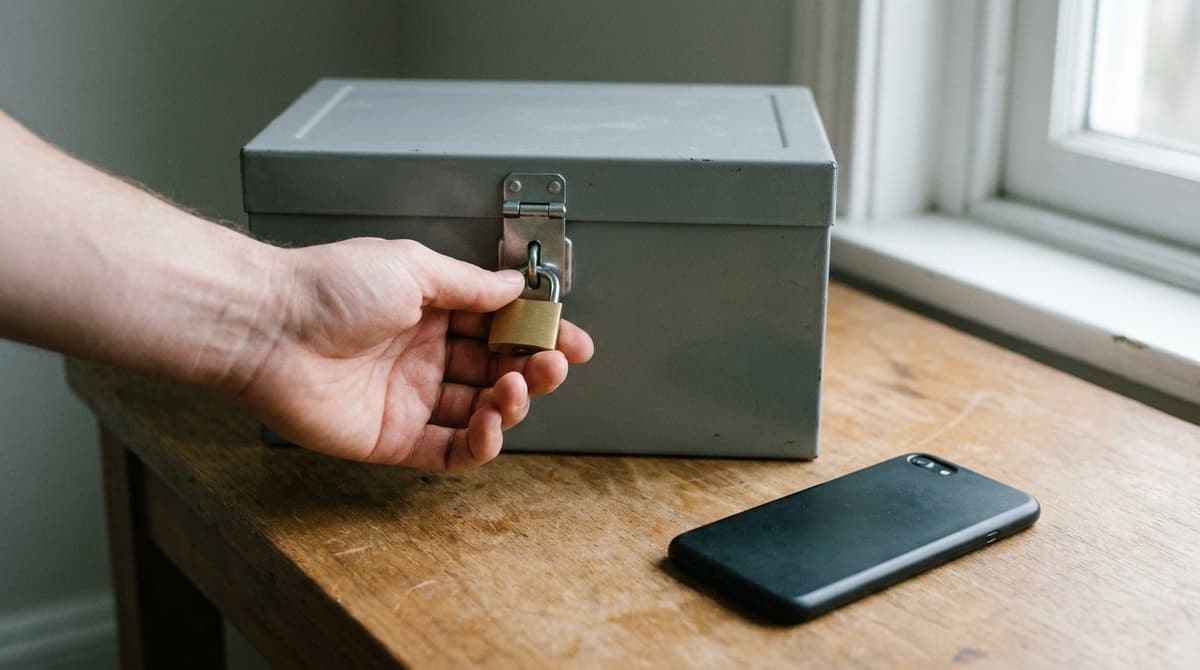
Store sensitive data and images in private storage
On a logged-in browser, it is easy to access someone else's Dropbox, Google Drive, Google Docs, and Google Photos, for example, you may forget to lock your computer or phone at home, school, or work. If someone gains access to that device, they may download your data.
Because of this flaw, we recommend:
- Avoid synchronizing devices that you use for private activity.
- Do not use company-issued devices for personal use. Some employers install software to monitor employee activity.
- Do not use your private email for work.
- Store sensitive data and images in private storage built around zero-knowledge encryption, making sure you are not automatically logged on. MEGA states that it uses "zero-knowledge encryption, also known as user-controlled end-to-end encryption," so that for anyone else, "including MEGA, the data would appear as gibberish." Sync.com describes its design more cautiously, saying it "includes end-to-end encryption and zero-knowledge authentication features designed to help protect your data from unauthorized access in the cloud." Both are the vendors' own descriptions of their systems, not independent audit results.
- Before you trust any service with a social security number, an ID, or legal documents, check whether its encryption is zero-knowledge by default or an option you have to switch on yourself. iCloud and IDrive both need that check before you treat them as private storage.
- If you store sensitive data such as your social security, ID, and legal documents on your Google Account, use two-factor authentication.
Watch out: Apple's Advanced Data Protection is "an optional setting," not the default. Every iCloud account starts on standard data protection, and switching Advanced Data Protection on is what raises the number of end-to-end encrypted categories "from 14 to 23," adding iCloud Backup, Photos, and Notes. Until you turn it on, Apple holds the keys to those categories and can be compelled to produce them under legal process. Apple's iCloud data security overview lists which categories fall on each side of that line.
Privacy software: The safest file storage options
Cloud storage beats physical drives on durability: drives are prone to damage, while files stored in the cloud survive a dead disk and are encrypted in transit and on the provider's servers. But that encryption is not the same thing as privacy. With most mainstream services the provider also holds the decryption keys, which means its staff, and anyone who serves it valid legal process, can reach your files. Only a zero-knowledge service, where you alone hold the key, closes that gap. To secure your cloud account, we recommend that you use a strong password, turn on two-factor authentication, regularly clear deleted data, and turn on account alerts.
Additionally, you should not save your account password on your browser if you are using a public device. Instead, store your passwords in a secure password manager such as:
- RoboForm
- Keeper
- Bitwarden
- Avira Password Manager
However, the safest place to store your passwords is in your head or on a piece of paper. To keep yourself from forgetting, you should:
- If you write down the password in a notebook or paper, disguise it and do not write what site or service it unlocks.
- Create a tip sheet. Instead of writing down the password, write clues that only you can decipher.
- Replace some letters or purposefully misspell your passwords.
Virtual private networks and alternative privacy tools
If you use public Wi-Fi, are on a watchlist, or value online anonymity, you need a VPN. A VPN is a privacy tool that allows you to surf the internet using a virtual IP address. Because of that, your internet service provider, snoops, and companies such as Google have a much harder time tying your location or activity to you.
But remember, VPNs do not offer the same level of security, meaning some are secure and some leak data. Ideally, you want to avoid free VPNs or browser extensions because they do not offer full protection. Therefore, what you should look for in a VPN is:
- The service provider's experience and background: check unbiased reviews, the vendor's data policy, if they share data with law enforcement, and any leaks.
- Avoid free VPNs because they are often slow, and some may hijack your browser or sell your data.
- Country of origin: some countries require service providers to store user data. (Scroll to the bottom.)
The idea is to read the privacy policy before downloading or installing, check user reviews, and test the product. Once installed, test your VPN for IP, DNS, and WebRTC leaks using a tool that runs all three of those checks, not just an IP address lookup. If it leaks your IP, DNS, or WebRTC, find an alternative.
Tor virtual private network alternative
Installing a VPN may slow down your computer or device. If you notice this issue or if you are looking for a safe alternative, we recommend installing the Tor browser.
Tor coupled with Linux (OS) is one of the strongest privacy combinations available. Why?
Tor and Linux mask your identity and location. The browser does not record history, nor does it target ads. It offers three levels of security, but enabling the higher levels may affect some web page functionality.
Tor Browser runs on Android and Windows. It does not run on iOS. The Tor Project's own support site states there is no official Tor Browser for iOS and points iPhone and iPad users to a third-party app called Onion Browser instead. The Tor Project is direct about the limitation: Apple "requires browsers on iOS to use something called Webkit, which prevents Onion Browser from having the same privacy protections as Tor Browser."
That gap is practical, not theoretical. If you do sensitive browsing on an iPhone or iPad, do not assume you are getting what the Windows or Android build gives you.
Privacy software: Is using a pirated/cracked Windows safe?
We do not endorse using pirated software, and the risk is higher than ever. Windows 10 reached end of support on October 14, 2025, so machines still running it no longer receive security updates unless enrolled in Microsoft's consumer Extended Security Updates (ESU) program, which runs through October 12, 2027. Enrollment is free if you sync your PC settings or redeem 1,000 Microsoft Rewards points; otherwise it is a one-time purchase of $30 plus tax. What you need to remember is, cyberattacks target mostly pirated and unsupported systems because they are easier to get into.

The issue is security is dependent on the pirate's intentions, that is, you may download a copy programmed to send images, passwords, and other information back to the modder. If your PC meets the hardware requirements, upgrading to a genuine, supported copy of Windows 11 is the safer path; if you already hold a valid Windows license, Microsoft's own upgrade tools are the legitimate route, not a pirated disk image from an unknown source.
To secure your system we recommend:
- Updating your system regularly.
- Make sure all system protections are turned on.
- Use the safest browser for anonymous browsing.
- Avoid sites and materials that may contain malware.
How to secure Windows
Simple tips to secure Windows, these can help, but remember that you are the last line of defense so make sure not to install any suspicious files on your computer.
- Remove or stop bloatware from running in the background.
- Enable antivirus and security features (turn on Windows Defender / Microsoft Defender).
- Disable automatic login.
- Set a screen saver password.
- Disable remote access.
- Enable auto-updates.
- Back up your files and store important data behind a password.
- Turn on encryption.
- Set up separate user accounts if you are sharing the PC.
The most secure operating systems for PC and Mac
- Fedora Workstation, Ubuntu, Alpine, Arch, Debian, and NixOS (Linux).
- Qubes OS (Xen).
- Tails and Whonix are Tor-focused Linux operating systems.
Tip: Windows collects user and behavioral data and uses it to target ads on your start menu. Also, although rare, a pirated copy may send data to hackers.
How to secure Android
- Before downloading apps, read the app's permission request.
- Review your phone's or other device default software settings.
- Enable two-step authentication.
- Activate Google's "Find My Device."
- Turn on fingerprint unlock or set up a screen lock.
- Set up trusted places to keep the phone unlocked in specified locations.
- Turn on trusted face and voice recognition.
- Browse safely.
- Avoid apps that saturate your phone with ads.
Tip: rooting your Android device may expose it to malware and snoops.
How to secure iOS
- Use Touch ID or Face ID.
- Set a strong password.
- Turn on Find My iPhone.
- Secure your Apple ID.
- Use Sign in with Apple.
- Read app permissions before you install.
- Limit the data you share.
- Turn on Advanced Data Protection if you back up sensitive documents to iCloud, because the default setting leaves Apple holding the keys to your backups, photos, and notes.
Tip: jailbreaking your iPhone or other device removes Apple's threat protection and voids your warranty.
Ultimately, all these tools are useless if you do not use them as intended. Think about it, if you write your password on your desk or stick it on your laptop, anyone may access your device. Also, what you click on, download, and share on social media matters. So, do not share much more than is needed, do not store important documents in public spaces such as Google Docs or Dropbox, know which search engine to use and why, and keep your phone number and private email address private.
Encryption Key Disclosure Law
It's also worth noting that US-based service providers for VPNs, DNS, email, hosting, social media, and cloud storage can be legally compelled through a warrant, subpoena, or court order to hand over data or encryption keys they control, even though the United States does not have a dedicated key disclosure law targeting individual users. Providers built around "zero-knowledge" or client-side encryption, where only the customer holds the decryption key, cannot hand over data they cannot access themselves.
Elsewhere, a number of countries have their own key disclosure laws that can require a person or company to hand over passwords or decryption keys to authorities, including Antigua and Barbuda, Australia, Belgium, Cambodia, Finland, France, Hong Kong, India, Ireland, South Africa, and the United Kingdom. The two most cited examples sit in primary law. Part III of the UK's Regulation of Investigatory Powers Act 2000 lets authorities with the appropriate permission demand protected information in intelligible form, or the key itself. Section 3LA of Australia's Crimes Act 1914 lets a magistrate order a person with knowledge of a computer system to help investigators access its data. For the rest, these country summaries vary in quality and currency, so treat both lists in this section as a general overview, not legal advice, and verify the current law where you live before relying on it.
Spain sits between the two lists rather than on either one. Article 588 septies b of Spain's Criminal Procedure Law obliges service providers and anyone who knows how a computer system or its data protections work to help investigators access it, but states that the order cannot be directed at the suspect or the accused, who keep their rights against self-incrimination. The Netherlands draws the same line: Article 125k of its Code of Criminal Procedure lets investigators order someone presumed to know a system's security or encryption to provide access, then states that the order is not given to the suspect. In practice that means the protection covers you as a suspect, not necessarily the company holding your data.
Separately, the Five Eyes intelligence-sharing alliance (the United States, United Kingdom, Canada, Australia, and New Zealand) has pushed technology companies toward building lawful-access solutions for encrypted communications, most notably in its 2018 Statement of Principles on Access to Evidence and Encryption. That statement is a policy position agreed to by member governments, not a law that forces companies to build backdoors.
Countries that do not have key disclosure laws include:
- Canada
- Czech Republic
- Germany
- Iceland
- Poland
- Switzerland
- United States
Overall, your online privacy depends on you. The information you share, the devices you use are all under constant surveillance. So, limit what you share, protect your search history, and use the mentioned privacy tools in the right way because they cannot protect you from yourself.
If you want one place to start today, make it concrete: switch your default search engine, run a leak test on your VPN, turn on two-factor authentication everywhere it is offered, and check who actually holds the keys to your cloud storage.
Updates
Corrected the mobile guidance: there is no official Tor Browser for iOS, and iCloud is not end-to-end encrypted for backups, photos, or notes unless you turn on Apple's optional Advanced Data Protection setting. Also removed a search engine that could not be verified as a real product, removed Spain from the key-disclosure-law list to match the cited source, and replaced a leak-test link that no longer tests for DNS or WebRTC leaks. A follow-up review corrected the Windows 10 guidance (Microsoft's consumer Extended Security Updates program runs through October 12, 2027 and includes free enrollment options), attributed cloud-storage encryption claims to MEGA's and Sync.com's own security pages, clarified that most cloud providers hold the decryption keys unless you use a zero-knowledge service, and added primary legal sources for the key disclosure law section.
Independently fact-checked against the cited primary sources
Audit-and-evolve refresh: repaired 13 broken WordPress-migration links (including a doubly-nested corrupted VPN link), reflowed run-on bullet lists into proper markdown lists, and rebuilt the citations list to match. Replaced a dead National Crime Agency URL, an incorrect DNI.gov citation, and a stale Tor manual link with the National Crime Agency's current sextortion page, the official 2018 Five Eyes Statement of Principles on Access to Evidence and Encryption, and the Tor Project's current security-settings page. Corrected the key-disclosure-law claim about US providers and refreshed the countries list against current sourcing. Removed Avast Passwords (discontinued in 2025) from the password manager list and added Bitwarden. Updated the Windows section to reflect Windows 10 reaching end of support on October 14, 2025.
The Law Behind This Article
This article rests on the statutory provisions below, held in our own legal record and retrieved from the official source. Tap a section to read the operative text.
Crimes Act 1914
s 3LAPerson with knowledge of a computer or a computer system to assist access etc.In forcecited in 2 of our articles
(1) A constable may apply to a magistrate for an order requiring a specified person to provide any information or assistance that is reasonable and necessary to allow a constable to do one or more of the following: (a) access data held in, or accessible from, a computer or data storage device that: (i) is on warrant premises; or (ia) is found in the course of an ordinary search of a person, or a frisk search of a person, authorised by a warrant under section 3E; or (ii) has been moved under subsection 3K(2) and is at a place for examination or processing; or (iii) has been seized under this Division; (b) copy data held in, or accessible from, a computer, or data storage device, described in paragraph (a) to another data storage device; (c) convert into documentary form or another form intelligible to a constable: (i) data held in, or accessible from, a computer, or data storage device, described in paragraph (a); or (ii) data held in a data storage device to which the data was copied as described in paragraph (b); or (iii) data held in a data storage device removed from warrant premises under subsection 3L(1A).
Official text (excerpt) · last checked 2026-09-28 · Read the full text in our law library · Verify at legislation.gov.au
Cited in 20 court opinions in our collectionLatest citing opinion in our collection: 2024
Opinions citing this section in our collection:
- Smethurst v Commissioner of Police (High Court of Australia 2020, [2020] HCA 14)
- Zhang v Commissioner of Police (High Court of Australia 2021, [2021] HCA 16)
- Commonwealth Director of Public Prosecutions v Poniatowska (High Court of Australia 2011, [2011] HCA 43)
Identified automatically from the court opinions citing this section — not a ranking of which case controls.
Sources and References
- National Crime Agency (UK) on sextortion(nationalcrimeagency.gov.uk).gov
- Google's My Activity dashboard(myactivity.google.com)
- MEGA security page: vendor's zero-knowledge, user-controlled end-to-end encryption claims(mega.io)
- Sync.com security page: end-to-end encryption and zero-knowledge authentication features (vendor claim)(sync.com)
- iCloud(icloud.com)
- Apple Platform Security: Advanced Data Protection for iCloud is an optional setting that raises end-to-end encrypted categories from 14 to 23(support.apple.com)
- Apple: iCloud data security overview (standard data protection vs. Advanced Data Protection)(support.apple.com)
- IDrive(idrive.com)
- BrowserLeaks: IP address, DNS leak, and WebRTC leak tests(browserleaks.com)
- Tor Project: Security Settings(support.torproject.org)
- Tor Project: there is no official Tor Browser for iOS; Apple's WebKit requirement prevents Onion Browser from matching Tor Browser's protections(support.torproject.org)
- Microsoft: Windows 10 support has ended(support.microsoft.com)
- Microsoft: Windows 10 consumer Extended Security Updates program (free and paid enrollment options, coverage through October 12, 2027)(microsoft.com)
- Key disclosure law overview(en.wikipedia.org)
- Regulation of Investigatory Powers Act 2000, Part III: investigation of electronic data protected by encryption(legislation.gov.uk).gov
- Crimes Act 1914 (Cth) s 3LA: person with knowledge of a computer or computer system to assist access(legislation.gov.au).gov
- Spain, Ley de Enjuiciamiento Criminal art. 588 septies b: duty to collaborate, not applicable to the suspect or accused(boe.es).gov
- Netherlands, Code of Criminal Procedure art. 125k: access and decryption orders are not given to the suspect(wetten.overheid.nl).gov
- Five Country Ministerial: Statement of Principles on Access to Evidence and Encryption(homeaffairs.gov.au).gov